Png to webp converter
Convert PNG images to WebP format easily using a powerful PNG to WebP converter. Reduce image size, boost website speed, and improve SEO performance instantly.
Drag & drop your PNG images here
or
Maximum 10 images, 10MB each
PNG to WebP Converter – The Ultimate Guide to Faster, Smarter Image Optimization
PNG to WebP Converter – The Complete Guide to Faster Image Optimization
In today’s fast-paced digital world, website speed, performance, and user experience have become critical ranking factors. One of the easiest and most effective ways to optimize your website is by converting large image files into modern, lightweight formats. That’s where a PNG to WebP converter becomes essential.
PNG images are popular due to their high quality and transparency support. However, they often come with large file sizes, which slow down websites and increase bandwidth usage. By converting PNG images to WebP format, you can reduce file size by up to 80% without sacrificing quality, significantly improving page load speed and SEO rankings.
In this comprehensive guide, you will learn everything about PNG to WebP conversion, including benefits, how it works, best tools, SEO advantages, use cases, FAQs, and expert optimization tips. Whether you’re a web developer, blogger, SEO professional, or business owner, this article will help you master image optimization.
What is a PNG to WebP Converter?
A PNG to WebP converter is a tool or software that converts images from PNG format into WebP format. WebP is a modern image format developed by Google that provides superior compression while maintaining excellent image quality.
Key Features of PNG to WebP Converters
Lossless and lossy compression support
Smaller file sizes
Faster image loading
Preserved transparency
Improved performance across devices
Better SEO optimization
A high-quality PNG to WebP converter ensures that your images retain clarity, sharpness, and visual appeal while drastically reducing file size.
What is WebP Image Format?
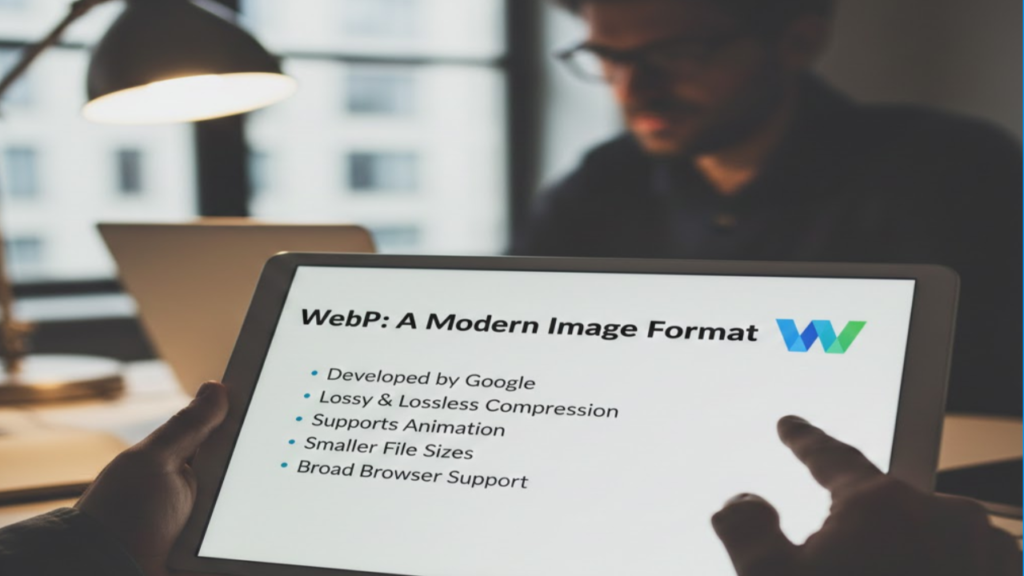
WebP is a next-generation image format introduced by Google that delivers superior compression for images on the web.
Key Characteristics of WebP
Supports both lossy and lossless compression
Smaller file size than PNG and JPEG
Supports transparency (alpha channel)
Supports animation
Designed for modern browsers
Enhances page load performance
Why WebP is Better Than PNG
| Feature | PNG | WebP |
| Compression | Lossless only | Lossy & Lossless |
| File Size | Large | Up to 80% smaller |
| Transparency | Yes | Yes |
| Browser Support | Universal | Excellent (95%+) |
| Speed | Slower | Faster |
Why Use a PNG to WebP Converter?
Using a PNG to WebP converter offers several technical and SEO benefits that significantly enhance website performance.
Key Benefits
🚀 Faster website speed
📉 Reduced image file size
📱 Improved mobile performance
🔍 Higher Google rankings
🌍 Reduced bandwidth usage
💰 Lower hosting costs
SEO Benefits of PNG to WebP Conversion
Image optimization is a major ranking factor. Converting PNG images into WebP format provides direct and indirect SEO advantages.
Faster Page Load Speed
Google prioritizes fast websites. WebP images load faster, reducing page load times and improving Core Web Vitals.
Improved User Experience
Faster loading images lead to better user engagement, lower bounce rates, and higher conversion rates.
Better Mobile Optimization
Mobile-first indexing makes WebP crucial for mobile speed and performance.
Higher Search Engine Rankings
Optimized images help improve SEO, resulting in better rankings and organic traffic growth.
How Does a PNG to WebP Converter Work?
A PNG to WebP converter uses advanced compression algorithms to analyze image data and reduce redundant information.
Conversion Process Explained
Upload PNG image
Analyze pixel structure
Apply WebP compression
Optimize transparency and quality
Generate lightweight WebP output
Best Online PNG to WebP Converter Tools
Here are some of the best online tools for converting PNG to WebP images:
CloudConvert
Squoosh by Google
TinyPNG WebP Converter
Convertio
iLoveIMG
👉 Internal link suggestion: Image Optimization Tools
👉 External link: Google WebP Documentation
How to Convert PNG to WebP – Step-by-Step Guide
Using Online Converter
Open PNG to WebP converter tool
Upload PNG file
Select output format WebP
Adjust compression settings
Click Convert
Download optimized image
Using Desktop Software
Photoshop
GIMP
XnConvert
PNG vs WebP – Detailed Comparison
| Feature | PNG | WebP |
| Image Quality | Excellent | Excellent |
| File Size | Large | Very Small |
| Transparency | Supported | Supported |
| Compression | Lossless | Lossy + Lossless |
| Speed | Slower | Faster |
Best Practices for PNG to WebP Conversion
Maintain optimal quality (70–85%)
Always keep original PNG backup
Compress images before uploading
Use CDN for WebP delivery
Lazy-load images
Common Use Cases of PNG to WebP Converter
Website image optimization
Blog image compression
E-commerce product image optimization
Mobile app graphics
Social media image handling
Advanced Tips for WebP Optimization
Use responsive images
Combine with lazy loading
Implement WebP fallback
Enable browser caching
Use CDN
Is WebP Supported by All Browsers?
Yes, WebP is supported by over 95% of modern browsers, including:
Google Chrome
Mozilla Firefox
Microsoft Edge
Safari
Opera
PNG to WebP Converter FAQs
What is the best PNG to WebP converter?
The best PNG to WebP converter depends on your needs. Popular options include Squoosh, CloudConvert, and TinyPNG for fast, secure, and high-quality conversions.
Does converting PNG to WebP reduce quality?
No, when using high-quality compression settings, WebP maintains nearly identical visual quality while reducing file size significantly.
Is WebP better than PNG for SEO?
Yes. WebP improves website speed, user experience, and mobile performance — all essential SEO ranking factors.
Can I convert bulk PNG images to WebP?
Yes. Many PNG to WebP converters support batch conversion for multiple images simultaneously.
Is PNG to WebP conversion safe?
Yes. Reliable converters ensure data privacy and do not store uploaded images permanently.
Future of Image Optimization with WebP
With Google strongly recommending WebP, the format is rapidly becoming the standard for web images. It reduces bandwidth, improves speed, and aligns with modern performance metrics like Core Web Vitals.
Expect WebP adoption to continue growing, especially with AI-driven image compression and next-gen formats like AVIF.
Final Thoughts – Why You Should Use PNG to WebP Converter Today
Using a PNG to WebP converter is one of the simplest yet most powerful strategies to boost your website’s speed, SEO performance, and user experience.
Whether you manage a blog, eCommerce store, portfolio website, or business platform, converting PNG images into WebP can significantly reduce load time, improve mobile usability, and increase search engine visibility.
Conclusion
Optimizing your images is no longer optional — it is essential. By using a PNG to WebP converter, you can drastically reduce image sizes, enhance website speed, improve SEO rankings, and deliver superior user experience.
If you want higher traffic, better engagement, and faster websites, start converting your PNG images to WebP today.
🚀 Call to Action
Start using a PNG to WebP converter now and transform your website performance instantly. Share this article with fellow developers, bloggers, and website owners — and take your optimization game to the next level!